


Let me tell you about CoMax.
Years ago, I built myself a digital doppelganger. An Alpaca model - one of the early Llama derivatives, running on GPUs in a solar-powered garage just outside Warsaw. I fed it RAGs full of my notes, my thinking patterns, my half-baked ideas. Constantly upgraded it as new models dropped. My own environment for any kind of work. A second brain that actually understood what I was trying to build.
It was beautiful. It was expensive. It required two air conditioning units that still couldn’t keep the garage below sauna temperatures.
And now? That dream lives in a $20/month subscription. Claude does what CoMax versions one through forty-seven struggled to do. Sonnet handles my daily thinking. Opus steps in for the heavy lifting. Sometimes I wonder what all that electricity was for.
But I don’t regret a single watt.
The Garage Era (2022-2025, RIP)
Here’s what nobody tells you about running your own GPU cluster: it’s not the hardware that breaks you. It’s the heat.
Between mid-2022 and early 2025, I maintained a small empire of computing power in my garage. Over twenty GPUs total across multiple rigs, four RTX 3060s per Opteron server, all of it solar-powered because I’m Polish and electricity isn’t cheap. The setup was perfect for training models, running inference locally, maintaining complete control over my AI experiments.
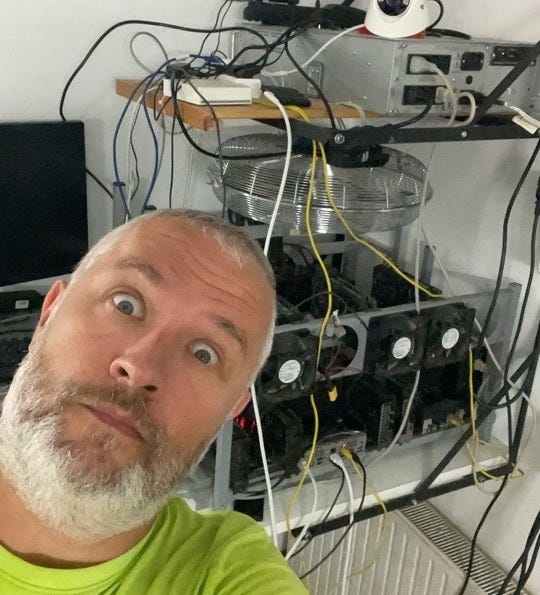
The setup was also turning my house into a convection oven. At least during summer.
The garage shared a wall with the bathroom. During summer, that wall radiated heat like it had a personal vendetta against comfortable showers. Two industrial air conditioning units ran constantly. They lost the battle daily. Heat bled through every surface, every crack, every architectural weakness the builders had thoughtfully included.
Winter was different. Twenty GPUs make excellent space heaters. Our heating bills dropped noticeably. The bathroom wall became pleasantly warm. For a few months each year, the setup almost made sense.
For a while, I told myself this was the price of independence. No cloud bills. No vendor lock-in. Complete control over my infrastructure. Free heating in winter, sauna in summer.
Then the rigs started sitting idle.
Cloud computing had gotten good. Really good. Spinning up an L40S on RunPod took thirty seconds. No maintenance. No heat management. No seasonal trade-offs.
The hardware did nothing for months. I was paying for solar panels to power machines that weren’t running. The cloud was just... easier.
So I sold the rigs. All of them.
No regrets. Sometimes the best tool is the one you don’t have to maintain.
The Stack (honest version)
Every tech person eventually writes a “my setup” post. Most of them are exercises in subtle bragging disguised as helpful content. Here’s my honest version, including the embarrassing parts.
Hardware I actually use
MacBook Pro M2 Pro 16-inch, 16GB unified memory, 1TB SSD
My daily driver. Also my biggest frustration.
The M2 Pro chip is a marvel. The screen is gorgeous. The battery life lets me work from Warsaw cafes without hunting for outlets. But 16GB of RAM in 2025 is a chokepoint. I run Claude Code, VS Code, Docker, Ollama, a browser with too many tabs, and suddenly I’m watching the memory pressure gauge turn red.
CPU isn’t the problem. Memory is. I need 32GB minimum to run comfortably. The upgrade is coming.
The laptop is also covered in stickers. This matters more than it should.
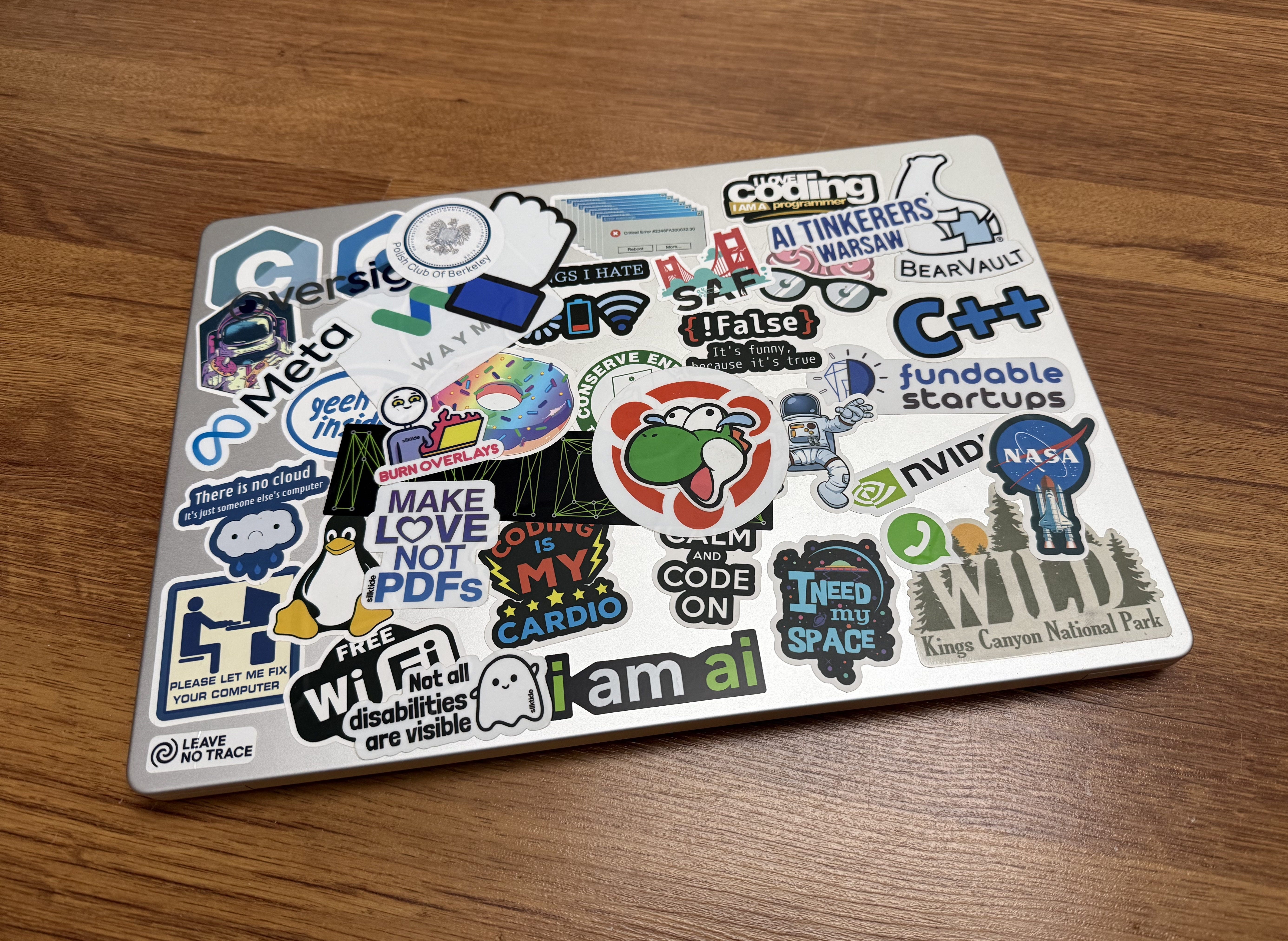
I’ve collected them from everywhere: conferences, company visits, random encounters. The Meta logo from their campus gift shop. NVIDIA from their headquarters in San Jose. Startups that no longer exist. AI labs that pivoted three times. Each sticker is a small piece of a story, a reminder of somewhere I’ve been or something I believed in at the time.
When I upgrade to a new MacBook, this is what I’ll miss most. Not the machine - the archaeology of stickers that turned a generic aluminum slab into something personal.
iPad Pro M5 13-inch, 16GB unified memory, 1TB SSD, nano-texture glass
Plus Magic Keyboard and Pencil Pro. A recent addition to handle my travel addiction.
The Magic Keyboard is pure magic, as advertised. It transforms the iPad into something laptop-adjacent. The Pencil Pro? Still learning. It’s new territory for me. I’m used to thinking with keyboards, not styluses. But the potential is there for sketching concepts and visual thinking.
I fly between the US and Europe constantly, five round trips in 2025 alone. The MacBook is powerful but heavy, thick, clumsy. The iPad is what I reach for when I’m moving.
Mostly communication right now. Email, messages, document review. I still haven’t figured out how to run Claude Code comfortably on it. That’s a workflow problem I need to solve, because the iPad is technically capable of everything I need. I’m the bottleneck.
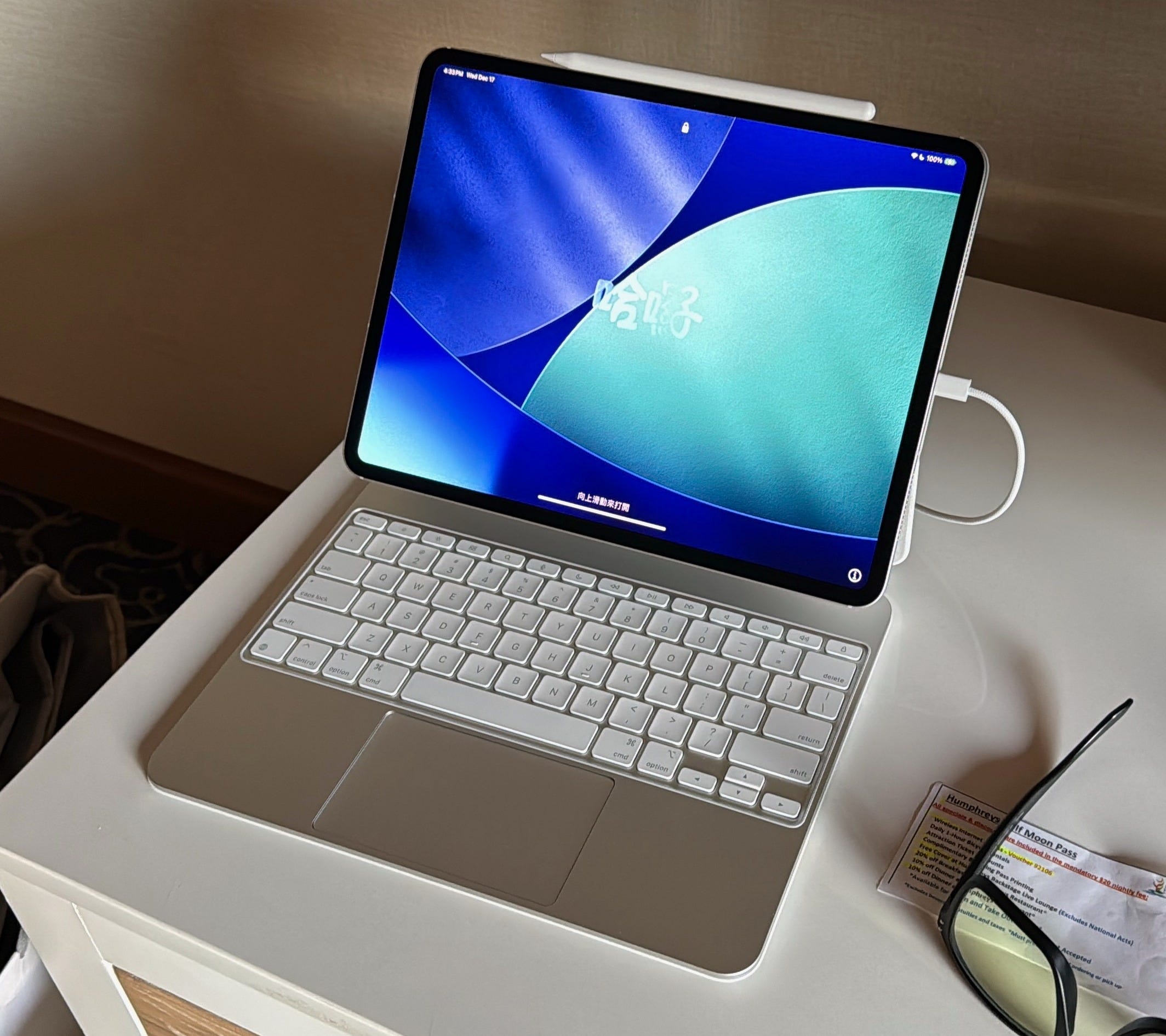
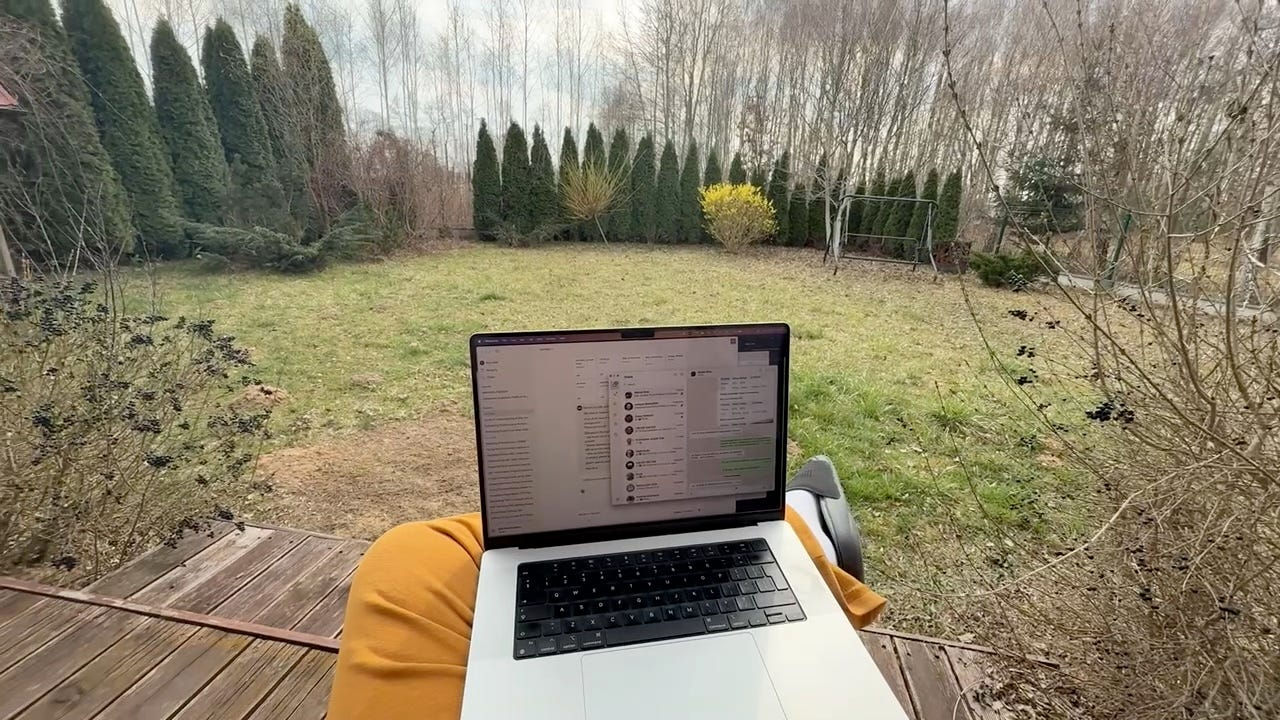
The nano-texture glass, though - that's the real revelation. I didn't fully appreciate it until I tried working outside on a sunny day. No glare. No squinting. No hunting for shade or awkwardly angling the screen. It just works. For someone who hates being trapped indoors and dreams of year-round garden computing, this changes everything. When I upgrade my MacBook, nano-texture is non-negotiable. The price premium is worth every penny for anyone who works outside regularly.
The linux box
Ryzen 9 9950X. 64GB DDR5. RTX 3090 with 24GB VRAM. Water-cooled. 5TB of solid-state storage plus 8TB of spinning rust for backups. Ubuntu with Gnome so I have a mouse pointer to click on things, though I mainly access it via SSH from another room.
This is the workhorse. The CUDA box. (For my Polish readers: yes, it's also the "cuda" box - the miracles box. Sometimes NVIDIA's naming works better than they realize.) When I need to run something locally that actually requires GPU compute, this is where it happens.
It also dual-boots Windows 11. Purely for gaming. Steam and Epic Games. Sometimes you need to shoot aliens to decompress.
The monitor
Alienware 32-inch, 4K, 240Hz, OLED.
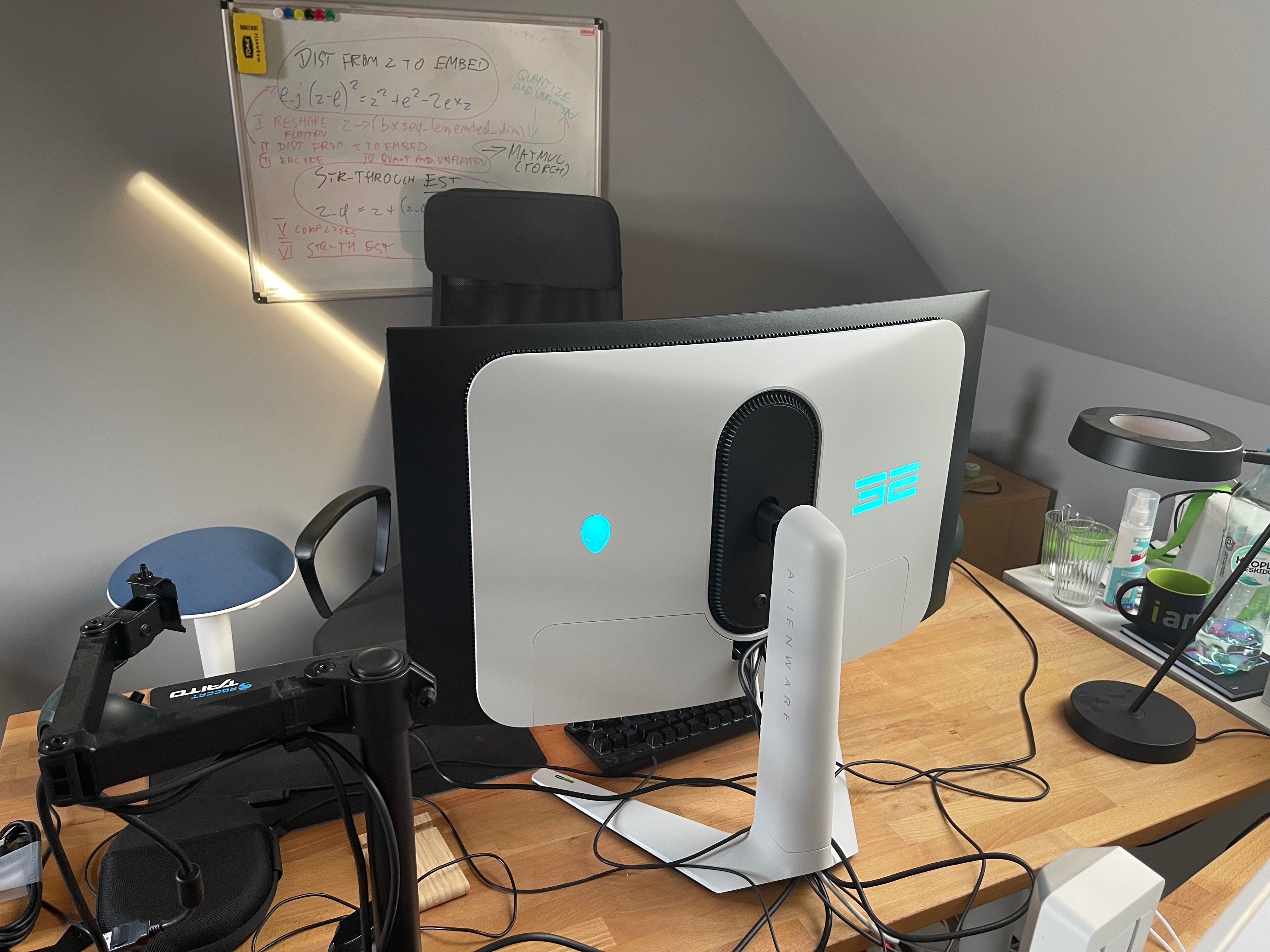
This matters more than most people realize. Refresh rate isn’t just for gamers - it’s for anyone who stares at screens for eight-plus hours daily. The difference between 60Hz and 120Hz is noticeable. The difference between 120Hz and 240Hz? Subtle, but my eyes thank me at the end of long days.
My MacBook and iPad both run at 120Hz, which is good. But the Alienware at 240Hz with that OLED panel? That’s the dream setup. Deep blacks, no backlight bleed, buttery smooth motion. The brightness helps in well-lit rooms. The contrast helps everywhere.
Apple still hasn’t put OLED in their MacBook lineup, which is genuinely frustrating. They’ll get there eventually. Until then, serious work happens at the desk with the Alienware.
If you’re spending significant time in front of screens, invest in refresh rate and panel quality. Your eyes are doing the heavy lifting. Treat them well.
iPhone 16 Pro Max
It’s a phone. You know what phones do.
The stuff that actually matters
Shokz OpenRun Pro, bone conduction headphones for everyday use. Open-ear design means I can hear the world around me while listening to Spotify. Currently obsessed with their Chill Electronic mixes.
Sony noise-canceling headphones - for when I need to disappear. Airplanes, trains, open offices, anywhere the world gets too loud. They create a bubble of focus.
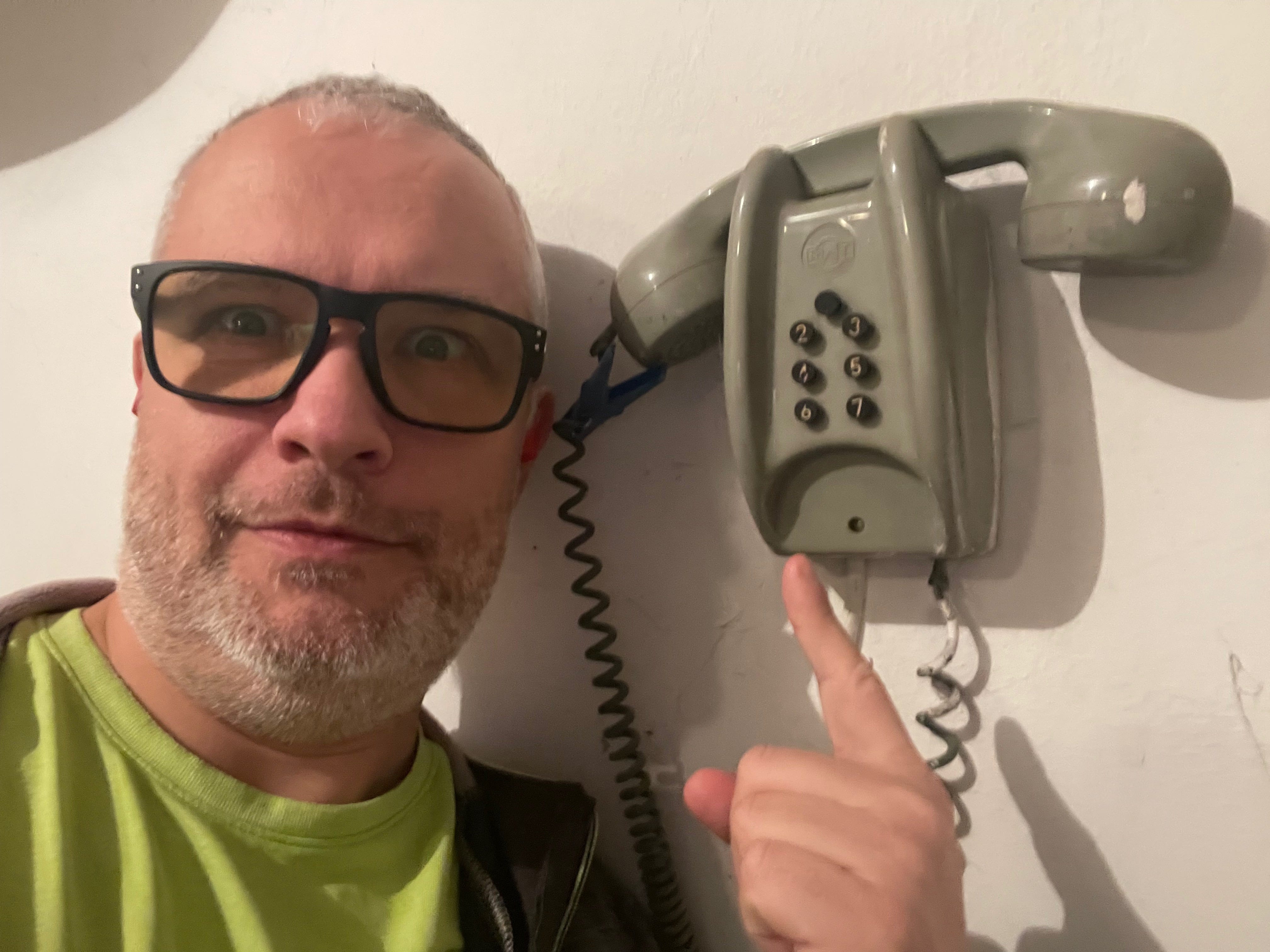
Oakley Holbrook with prescription Prizm Gaming lenses - yellow tint, cuts blue light aggressively. Got the prescription from a military optometrist in San Diego. Wasn’t skeptical going in, just wanted to try them. Now I can’t imagine working without them. My eyes last longer. The end-of-day fatigue that used to hit around 6 PM now shows up around 10 PM. Worth every penny.
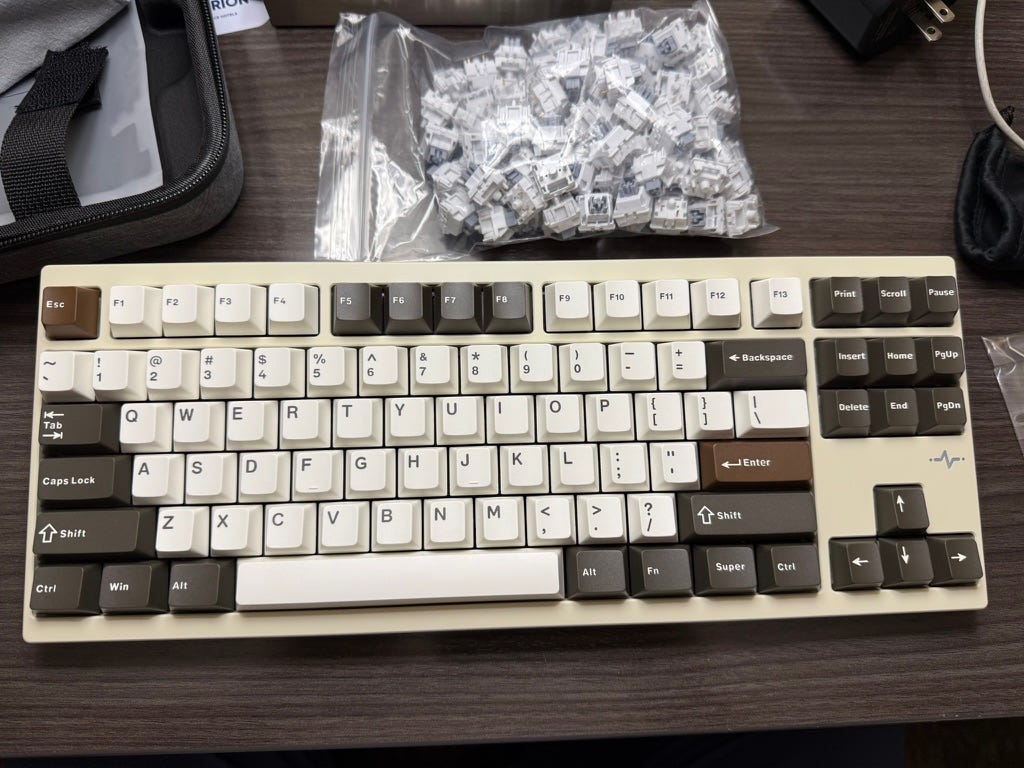
A mechanical keyboard from a small shop in San Jose - compact (no number pad), yet the heaviest keyboard I’ve ever owned. Built like a weapon. I had it tuned with quieter switches, otherwise my wife would have killed me in my sleep. Now there’s just a risk, not a certainty. The tactile feedback is perfect for long coding sessions.
The embarrassing truth
I own an electric standing desk with adjustable height. I have never used the standing feature for actual work.
My posture can best be described as “damaged crash test dummy”. I don’t sit in my chair so much as exist in it like a fluid, constantly sliding down, spine curved in ways that would make an ergonomics consultant weep.
My back hates me. This is entirely my fault.
I’ve made resolutions to fix this. Failed resolutions only. The standing desk mocks me daily. I respond by continuing to sit like a human puddle and complaining about the consequences.
How I actually work
Let me break down what my days look like, because tools without workflow context are just shopping lists.
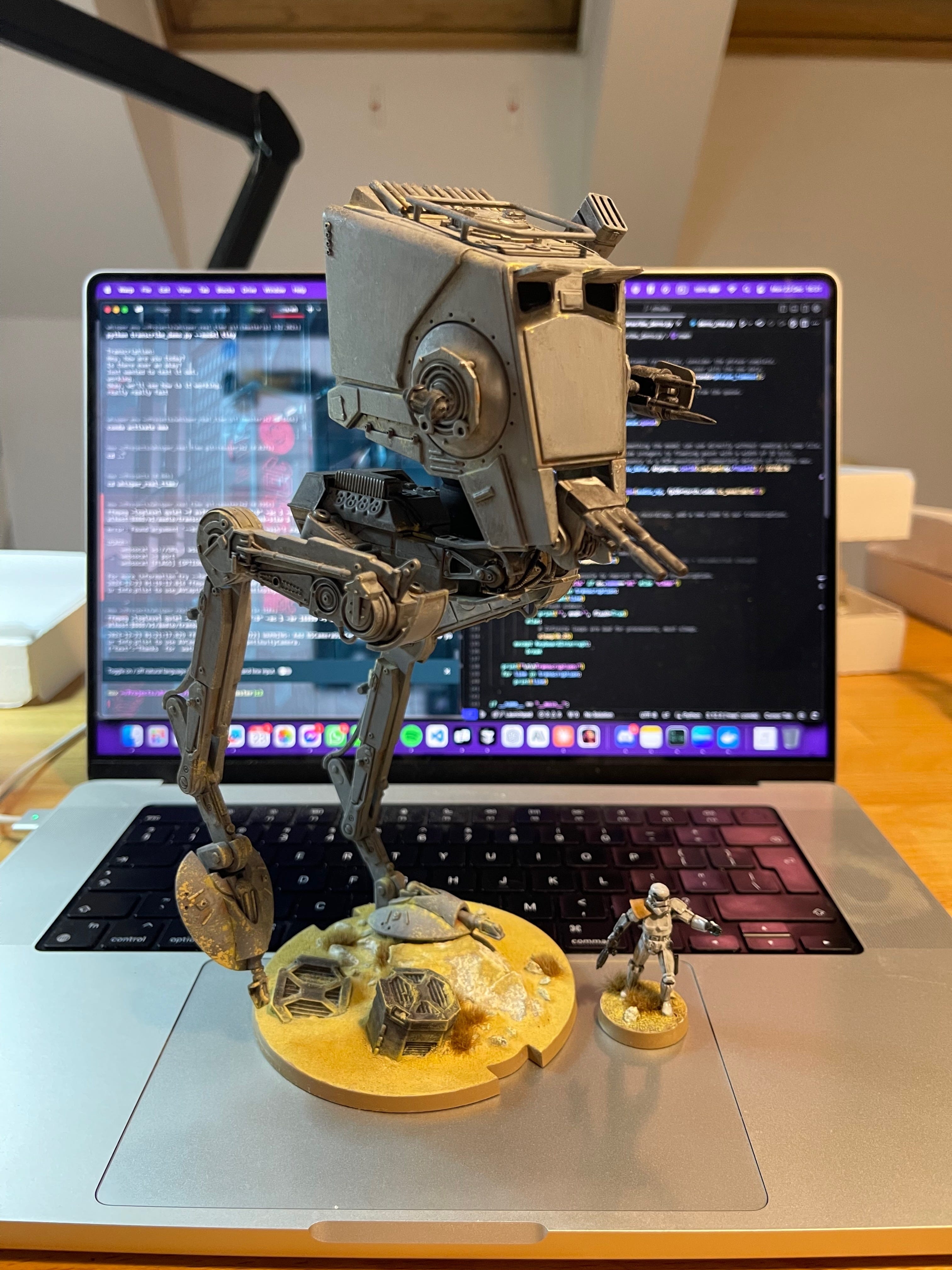
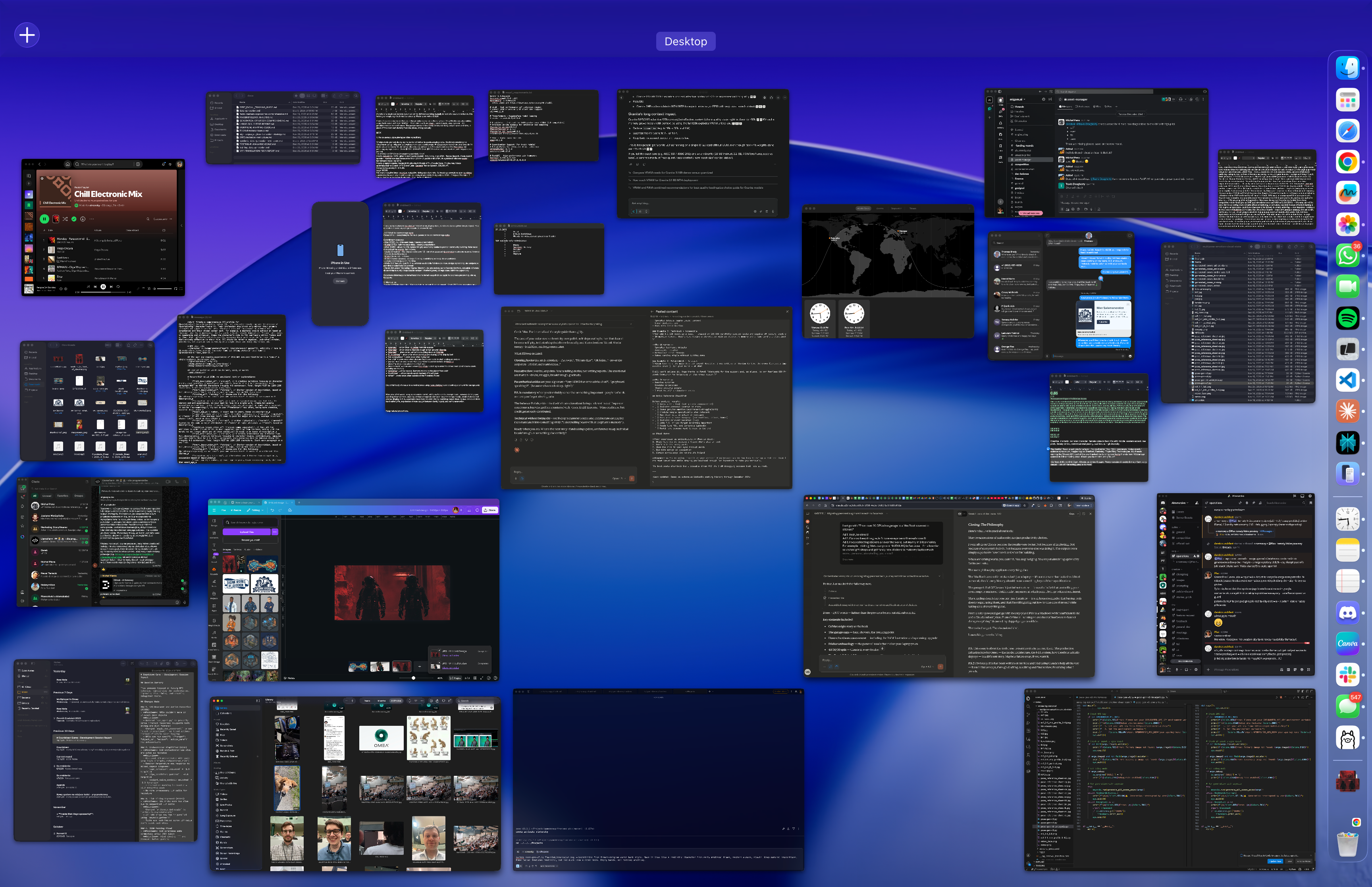
(If you want to see what this looks like in practice, I’ve included a screenshot of my desktop. Yes, all those windows are open simultaneously. Yes, this is normal. Welcome to ADHD-powered productivity.)
My work splits roughly 40/30/30:
40% communication - email, direct messaging, coordinating across time zones. Running Omea means talking to the team in Poland while setting up meetings in California. Advisory work at Migam is lighter now - they have a great engineer leading the AI development, so I’m more strategic than hands-on.
30% code-related - reviews, experiments, R&D. I’m not writing production code every day, but I’m deep in the technical decisions. Architecture reviews. Prototype experiments. Debugging sessions when something breaks in interesting ways.
30% brainstorming and conceptualization - strategy, product thinking, working through problems that don’t have clear solutions yet.
Claude touches all three buckets. This is not an exaggeration.
Communication
I use Claude Projects heavily. Not for generating generic email templates - for actually thinking through complex communication.
When I’m preparing for an important conversation, I’ll dump context into a project and work through the angles. What am I trying to achieve? What does the other person care about? What’s the best framing? Claude helps me see blind spots in my own thinking.
For everyday writing, Claude catches the moments when I’m being unclear, too aggressive, or burying the actual point under too much context. It’s like having an editor who’s always available and never annoyed.
Code
Claude Code, 100% of the time.
I experimented with Cursor for a while. It was fine. Good, even. Then Darek - our Game Director at Omea - pushed the whole team to adopt Claude Code heavily. Michał Pena showed me how to get started.
I never looked back.
The way Claude Code integrates with my thinking is different from other tools. It’s not autocomplete on steroids. It’s closer to pair programming with someone who has infinite patience, broad knowledge, and no ego about being wrong.
When I’m debugging something weird, I don’t just get suggestions - I get reasoning. When I’m architecting a new feature, I can think out loud and get pushback on bad ideas before I commit to them.
Cursor? I genuinely forget it exists now.
The painful part: flying without internet. Five transatlantic trips in 2025, hours in the air with no Claude Code access. It feels like trying to work with one hand tied behind my back. I’ve tried workarounds - downloading documentation, preparing local materials, running local models - but nothing replaces the real thing.

Brainstorming
This is where Claude becomes CoMax 2.0.
Remember the digital doppelganger I built in the garage? The dream was a second brain that could keep up with my thinking, challenge my assumptions, help me iterate faster than I could alone.
Claude is that dream, realized.
I use it to bullshit-test ideas. Throw a concept at it, see what breaks. “Here’s what I’m thinking about the narrative architecture - what am I missing?” And I get actual useful pushback, not validation seeking.
I use it to explore rabbit holes. When I’m curious about something tangential, I can go deep without losing the thread of what I was originally working on.
I use it to maintain context across weeks of thinking. Claude Projects let me build up shared understanding over time, so I’m not starting from zero every conversation.
The iterating never stops. Concepts get refined, challenged, rebuilt. It’s like having a thinking partner who never gets tired and never judges you for changing your mind.
The cloud architecture
The garage is gone, but the compute needs didn’t disappear. They just moved to better-managed infrastructure.
Here’s where the actual work happens:
Cerebras - our main production inference for Omea. The speed is impossible to beat. Our NIA (Narrative Intelligence Architecture) hits around 1,000 tokens per second on Cerebras. On NVIDIA GPUs? Maybe 200 tokens per second. Five times slower.
When you’re building interactive storytelling where response latency matters, that difference is everything. Players don’t want to wait. Cerebras lets us deliver experiences that feel immediate.
The landscape might shift soon - NVIDIA semi-acquired Groq, Cerebras’s biggest competitor. But for now, Cerebras remains the speed king.
Oracle - dedicated machines, not regular cloud instances. Part of our inference infrastructure, though not the primary path.
Azure - production backend, less focused on inference, more on the supporting systems.
RunPod - on-demand GPUs when ours are busy. Right now I’ve got two dedicated L40S instances running: one training a small experimental model, one handling inference for a text-to-speech beta we’re testing.
RunPod is perfect for immediate needs. Team needs extra GPU capacity? Spun up in minutes. No long-term commitment, pay for what you use.
Anthropic - API December bill
Over $3,500 in API costs.
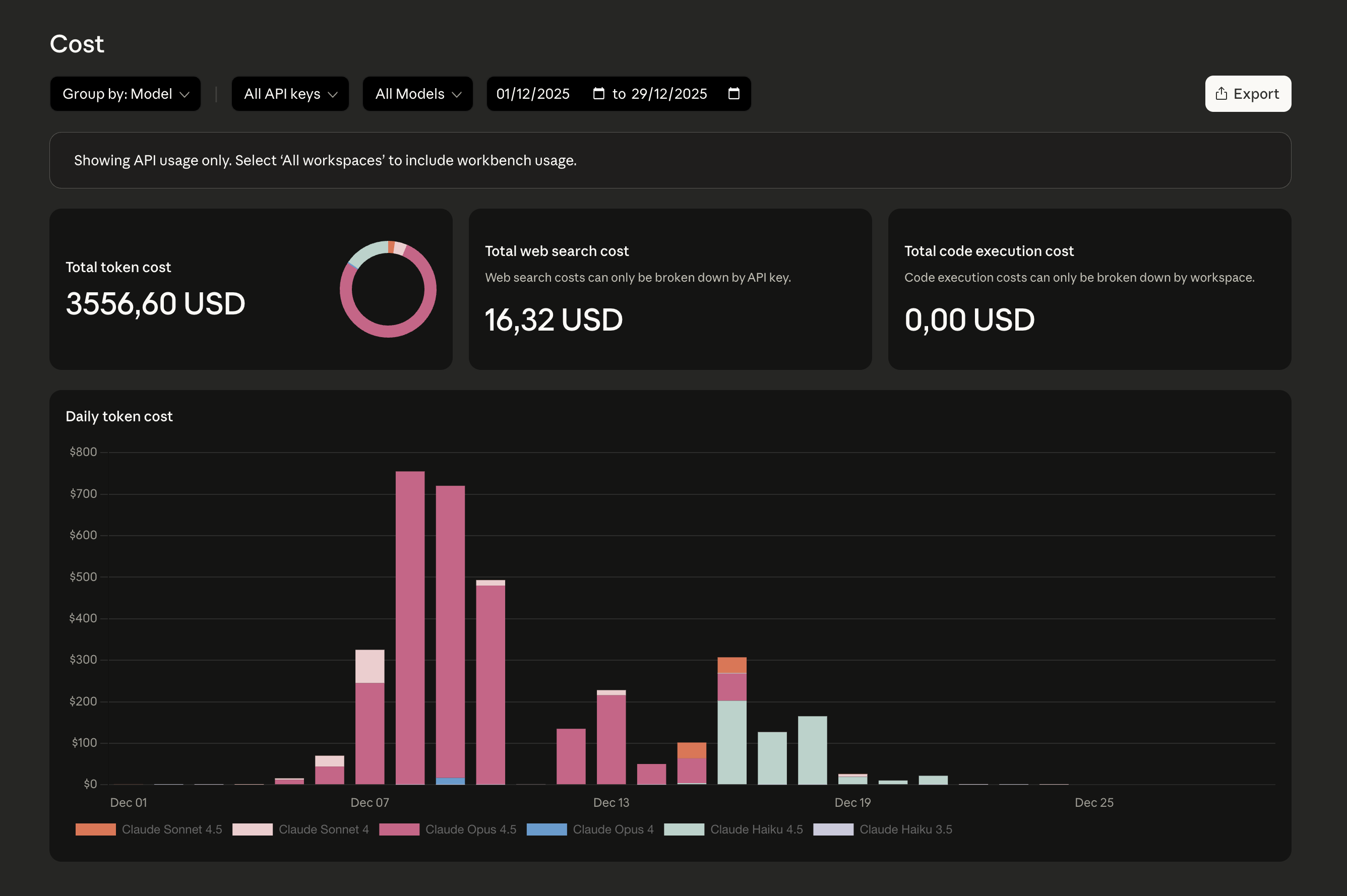
Not for Omea - for Migam. Building synthetic datasets for American Sign Language and PJM (Polski Język Migowy - Polish Sign Language). The process is intensive: generating training data, running vocabulary density testing, using LLM-as-judge to validate quality across everything.
When you’re asking Opus to read and evaluate millions of tokens, the bills add up fast. Sonnet handles volume. Opus handles the heavy lifting where quality can’t be compromised. Haiku is increasingly part of the mix for lighter tasks.
It’s expensive. It’s worth it. Sign language AI doesn’t build itself on the cheap.
The long-running tasks
Some jobs take hours. Some take days.
I run them in Docker containers or Screen-based Python scripts on my Linux box. SSH in from wherever I am, kick off the process, check back periodically. Sometimes on RunPod with the team when we need more firepower than my single RTX 3090 can provide.
Dataset processing. Model evaluation. Synthetic data generation. The unsexy work that makes the sexy demos possible.
The future: NVIDIA DGX Spark
Speaking of hardware I’m watching - NVIDIA DGX Spark, their personal AI supercomputer. A desktop box with the GB10 Grace Blackwell chip, 128GB unified memory, capable of running 200B models. Reasonable price tag at three grand, available now.
For an AI nomad like me, constantly traveling between continents and annoyed by offline limitations, this is interesting. A personal AI party that fits on a desk and doesn’t require my wife to suffer through summer bathroom saunas. I’ll definitely try it out.

The local fallback
Sometimes there’s no internet. Given how much I travel, this happens more than I’d like.
My current local model of choice: Granite 4 Micro from IBM.
It’s a hybrid architecture - transformer mixed with Mamba - that provides surprising capability for its size. Runs comfortably on my RAM-constrained MacBook. The memory footprint is reasonable. The quality is good enough for basic tasks when Claude isn’t available.
But let’s be clear: local models are a fallback, not a preference. When I land and get internet back, I’m immediately back to Claude. The quality difference is real.
The software philosophy
Here’s where the opinions get spicy.
What I use
Development:
VS Code with Claude Code extension - the core of everything
Claude Code MAX for coding and deep research
Claude Team for everyday conversations and brainstorming
Enterprise Anthropic API - Sonnet for volume, Opus for heavy lifting, Haiku for lighter tasks
Terminal:
Warp - not for its AI features (I barely use them), just for the UX. It looks good. It feels good. Sometimes aesthetics matter.
Local development stack:
Ollama - manages local models for offline work
Miniconda - Python environment management
Brew - brings Linux-native tools to macOS
Docker - keeps experiments isolated, prevents my machine from becoming a dependency graveyard
Team collaboration:
Google Workspace (enterprise) - email, Drive, Docs
Discord for Omea - love it, perfect for our team culture
Slack for Migam - hate it, but it’s what they use
Why do I hate Slack? It feels corporate-y in a way Discord doesn’t. Discord grew up around communities and gaming. Slack grew up around enterprise sales. You can feel the difference in every interaction.
Thinking tools:
Apple Freeform - for drawing concepts, schematics, visual thinking
Apple Notes - for capturing thoughts in the moment
Canva - replaced the Adobe Creative Suite behemoth. Good enough for what I need, none of the subscription hell.
Communication:
WhatsApp primarily
SMS/iMessage for certain contacts
Email when formality matters
Search:
Perplexity, occasionally. The quality isn’t there, even when it’s using Sonnet under the hood. Native Claude always wins.
What I don’t use
ChatGPT.
At all.
I canceled my subscription over a year ago. Haven’t opened the app since. Tried the API a few times when testing something specific. Came back to Haiku/Sonnet/Opus every single time.
Let me be clear: I respect the researchers at OpenAI. Brilliant people doing important work. But the company? The “Open” left OpenAI a long time ago. I still remember when they used to drop actual gifts to the community - Whisper was incredible, genuinely useful, freely shared. That spirit died somewhere along the way.
More importantly: Claude is just better.
I’ve run the comparisons. I’ve tried to be fair. Every time I use a GPT model for something complex, I find myself wishing I was using Sonnet. The reasoning is clearer. The outputs are more useful. The edge cases are handled better.
So I stopped pretending I needed to hedge my bets across multiple LLMs. I went all-in.
Team no-drama. Team Anthropic.
The whole Omea team has Claude access now. Most of them MAX accounts. We build AI that tells stories using AI assistance. It’s not ironic - it’s obvious. You use the best tools to make the best things.
The human in the loop
Tools are great. Tools are also insufficient.
Here’s what the tools can’t fix:
The crunches. When an idea grabs me or a deadline looms, I’ll do sixteen-hour days. Marathon sessions fueled by coffee and hyperfocus. I’m trying to limit these. I’m mostly failing.
The schedule. Six days a week, typically four to eight hours at the computer. Crunch periods have different rules entirely. Sustainable? Probably not. Stopping? Not yet.
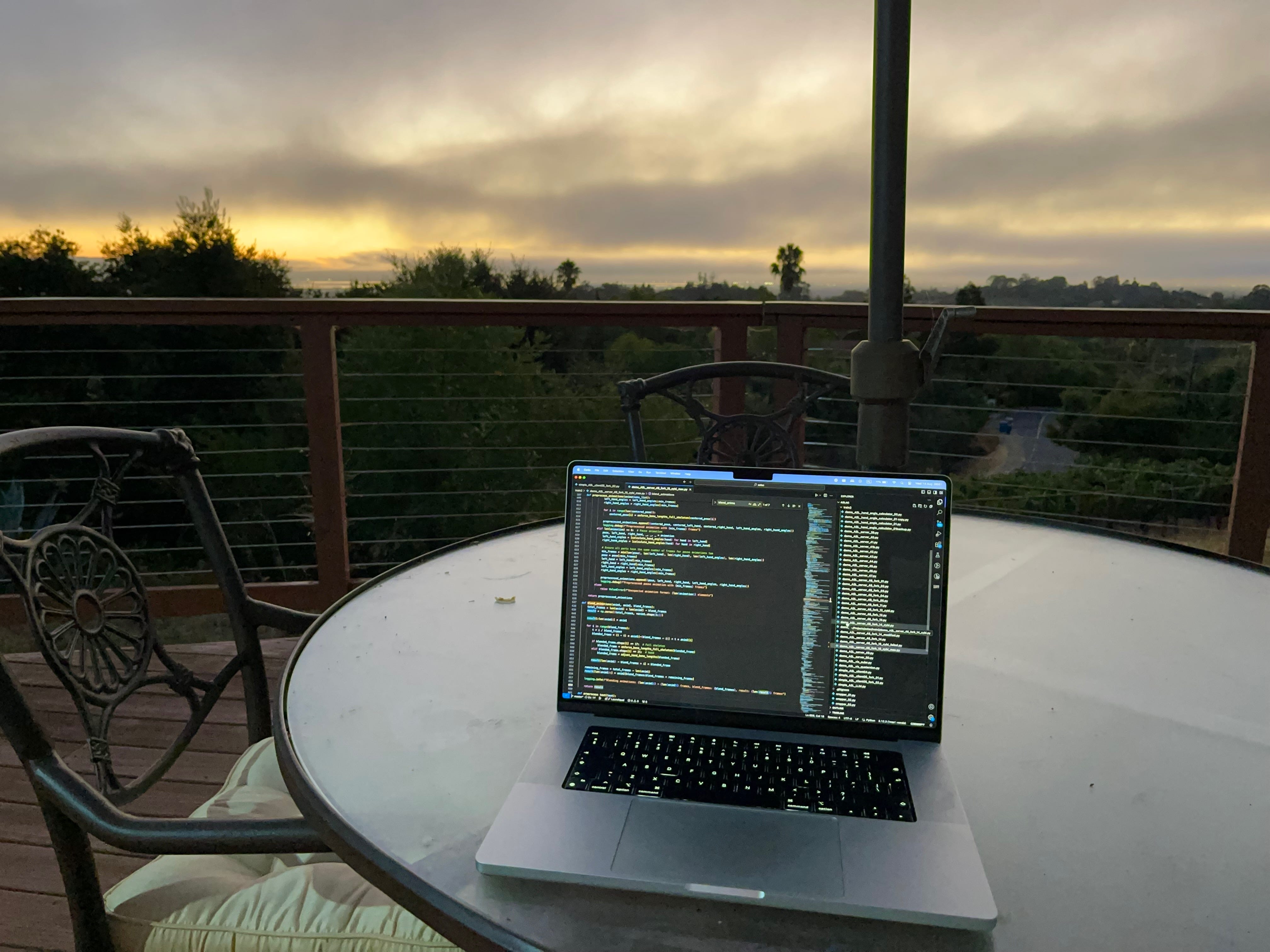
The restlessness. I hate being tied to one chair in one spot. I work outside whenever I can - in the garden, on the terrace, anywhere that isn’t the same four walls.
Warsaw weather makes this difficult. Cold winters. Unpredictable summers. Limited outdoor working days.
But this problem gets solved Q1 2026.
I’m moving to Silicon Valley.
The garden work sessions are about to get a serious upgrade. California weather means year-round outdoor computing. No more checking forecasts before deciding where to sit.
The ADHD. It’s not a bug, it’s a feature, most of the time. Hyperfocus is a superpower when pointed at the right target. The ability to context-switch rapidly helps when you’re running multiple projects.
But it also means I need external structure. Claude Projects help. Strict routines help. Having a team that keeps me accountable helps.
Spotify’s Chill Electronic mix plays constantly. Not because I need the music, but because consistent background sound keeps part of my brain occupied so the rest can focus.
The body. The crash test dummy posture. The back pain. The standing desk I don’t use. The failed resolutions.
Someday I’ll figure this out. Today is not that day.
Closing: the philosophy
Here’s what I’ve learned about tools:
They’re expressions of philosophy, not just productivity choices.
I went all-in on Claude because the results were better. Not because of marketing. Not because of ecosystem lock-in. Not because everyone else was doing it. The outputs were simply superior for how I work and what I’m building.
When something works, you commit. You stop hedging. You stop maintaining optionality for its own sake.
The same philosophy applies to everything else:
The MacBook covered in stickers isn’t just a laptop - it’s a statement that tools should feel personal, should carry history, should mean something beyond their specifications.
The garage full of GPUs wasn’t just infrastructure - it was the belief that controlling your own compute mattered. Until it didn’t anymore, at which point I let it go without sentiment.
The standing desk I don’t use isn’t just furniture - it’s an honest reminder that buying tools doesn’t equal using them, and that I’m still figuring out how to take care of myself while taking care of everything else.
From a solar-powered garage with twenty-plus GPUs to a MacBook with insufficient RAM and a Claude subscription. From CoMax v1 running on overheated hardware to Sonnet doing everything I dreamed my doppelganger would do.
The tools changed. The obsession didn’t.
Less talking, more building.
Max
PS. This essay is about the tools I use to build products, not run them. The production infrastructure for Omea - the model architecture, the NIA system, how Cerebras actually deploys - is a different story. Maybe a future essay, if you want it.
PS2. Obviously, this has been written on my Mac and iPad using Claude’s help all the way - from initial concept, through drafting, to editing and final review. Practicing what I preach.